Image Tracing in Modern Illustration Workflows
See Da Vinci Eye in action in the video below.
If you’re working on client illustrations or complex personal projects, you’ve probably hit that point where you need accuracy but don’t want to spend hours getting the initial structure right. Image tracing isn’t about taking shortcuts. It’s about getting to the creative work faster while maintaining the precision your projects demand.
Professional illustrators have always used transfer methods to establish foundations. What’s changed is how we do it. Instead of light tables or grid methods, modern image tracing tools let you set up your composition quickly and move on to what actually matters: rendering, style, and finishing.
Why Professional Illustrators Start with Image Tracing
When you’re working on commercial projects with tight deadlines, you need reliable methods. Image tracing gives you that reliability without sacrificing your artistic input.

The professionals I know who use tracing aren’t doing it because they can’t draw. They’re doing it because they’re juggling multiple projects and need to work efficiently. A book illustrator might trace photo references to nail down character poses before adding stylization. A product illustrator might trace technical elements to ensure accuracy before rendering.
You’re still making every artistic decision. The composition, the line quality, the style, the finishing techniques. Tracing just removes the measurement phase so you can focus on those decisions instead of double-checking proportions for the third time.
Setting Up Your Image Tracing Workflow
Your setup matters more than you’d think. A shaky phone or inconsistent lighting will make the process harder than it needs to be.

Start by securing your drawing surface. Tape down your paper so it won’t shift while you’re working. Position your phone or tablet so you can see both your reference overlay and your drawing hand comfortably.
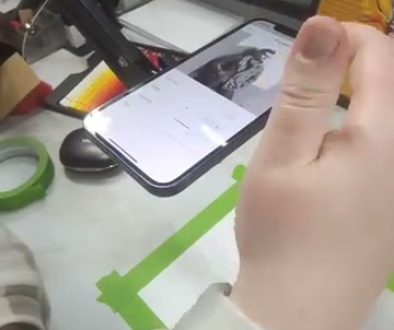
Da Vinci Eye handles this with augmented reality, which means it anchors your reference image to your drawing surface. Once it detects the anchor, your reference stays locked in place even if you move slightly. You can see this detection happening in the setup phase, where the app looks for your drawing surface and establishes the overlay position.
Good lighting helps too. You want even light on your paper without harsh shadows that make it hard to see what you’ve already drawn under the overlay.
How to Trace Structure Without Losing Your Style
Here’s what separates useful tracing from mindless copying: you’re using the reference for structure, not detail.

Think of your traced lines as your underdrawing. You’re establishing where things go, how big they are relative to each other, and what the basic shapes look like. That’s it. The reference shows you proportions and placement. Everything else comes from you.
When you’re tracing an eye, for example, you’re noting where the corners sit, how wide the iris is, where the eyelid folds. You’re not trying to copy every eyelash. Those details come later when you’re working from observation and applying your own technique.
The app lets you adjust opacity and zoom in on specific areas, which helps when you’re working on detailed sections. You can see in the demonstration how zooming in reveals finer details of the reference, but the artist is still interpreting those details with their own mark-making.
Building Complex Illustrations Layer by Layer
Commercial work often involves multiple elements that need to fit together precisely. Image tracing becomes especially valuable here.

Say you’re illustrating a figure in an environment. You might trace the figure’s basic structure first, then switch to environmental reference photos for background elements. Each layer builds on the previous one, and tracing ensures everything aligns properly.
You can also use tracing to test compositions before committing. Resize your reference, try different placements, see what works. Once you’ve found your composition, trace the structure and start developing it with your chosen style and medium.
This layered approach is exactly how traditional illustrators worked with projectors and light tables. The technology is different, but the principle is the same: establish your foundation accurately so you can focus on artistry.
From Tracing to Original Rendering
The traced structure is just your starting point. The real work begins when you start rendering.
Once you’ve established your basic shapes and proportions, you’re working from observation and artistic judgment. You’re choosing which details to emphasize, how to handle value transitions, where to add contrast or texture. This is where your style develops.
Professional illustrators find that tracing actually accelerates style development because you’re spending more time on the rendering phase. Instead of burning energy on measurement and construction, you’re practicing mark-making, value control, and stylistic choices. That’s where improvement happens.
Your traced lines might not even be visible in the final piece. They’re guides. You draw over them, refine them, sometimes deviate from them entirely when your artistic judgment says to. The reference gave you a solid foundation. Now you’re building the actual illustration on top of it.
What Makes Modern Image Tracing Different
Traditional tracing methods had real limitations. Light tables only worked with certain materials. Projectors needed dark rooms and specific setups. Transfer paper left marks that were hard to erase.
Digital image tracing solves these problems. You can work anywhere with decent lighting. Your reference overlays on any surface. There’s nothing to erase later because you’re just looking through your device at a digital overlay.
Da Vinci Eye uses your phone’s camera to show your drawing surface with your reference image overlaid on top. You see both at once, which lets you trace while maintaining natural drawing posture and technique. It’s portable enough to use in a coffee shop or a park, not just your studio.
The ability to adjust size and position on the fly changes how you work too. Need to enlarge a section for detail work? Zoom in. Want to shift the composition slightly? Move it. Traditional methods locked you into decisions early. Digital tracing keeps things flexible.
Common Mistakes When Starting with Image Tracing
The biggest mistake is tracing too much detail too early. Remember, you’re establishing structure, not creating a finished drawing in the tracing phase.
Keep your traced lines light and focus on major shapes and proportions. You can always add detail later when you’re rendering. If you trace every tiny detail, you’re just copying, and you’re not developing your observational skills or personal style.
Another common issue is poor setup. If your phone isn’t stable or your paper keeps shifting, you’ll fight the process instead of flowing with it. Take an extra minute to secure everything properly. Your drawing experience will be much better.
Don’t rely on image tracing for every project either. Use it when accuracy matters for your work, but also practice freehand drawing to build your observational skills. The two approaches complement each other. Tracing teaches you what correct proportions look like. Freehand drawing teaches you how to see and construct them yourself.
Making Image Tracing Part of Your Regular Workflow
Once you’ve tried image tracing for a few projects, you’ll start seeing where it fits in your workflow naturally.
Some artists use it for every project. Others save it for complex work or tight deadlines. There’s no right answer. It’s a tool, and like any tool, you use it when it helps.
What matters is understanding that using reference and tracing methods doesn’t diminish your work. Professional illustrators have always used tools and references. We’re just using modern versions that are more portable and flexible than what was available before.
Your artistic voice comes through in how you interpret structure, apply technique, make stylistic choices, and finish your work. The method you use to establish initial proportions doesn’t change that. If anything, it gives you more energy to focus on the decisions that actually define your style.
Start drawing with Da Vinci Eye