Procreate vs Physical Drawing: Why Artists Use Both Methods
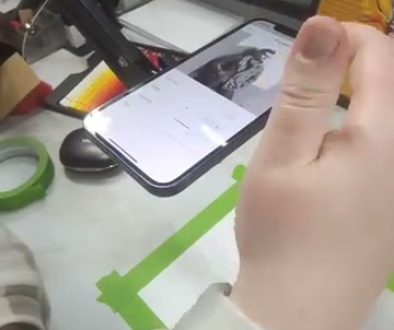
See Da Vinci Eye in action in the video below.
If you’ve been following digital art communities, you might have noticed something interesting. Artists who swear by Procreate are suddenly posting photos of sketchbooks, paint tubes, and graphite smudges on their fingers. It’s not a rejection of digital tools but something more nuanced. Artists are discovering that combining Procreate with physical drawing creates a workflow that neither method can achieve alone.
The shift isn’t about choosing sides. It’s about understanding what each medium does best and building a practice that takes advantage of both. Whether you’re sketching ideas on paper before refining them digitally or printing digital studies to paint over them, a hybrid approach opens up creative possibilities that feel fresh and effective.
Why Digital Artists Are Picking Up Pencils Again
Working entirely on an iPad can feel isolating after a while. There’s something tactile about holding a pencil, feeling the texture of paper, and seeing physical marks appear that reconnects you with the fundamentals of drawing.

Physical media also forces different kinds of problem solving. You can’t undo a pen stroke or flip your canvas horizontally with two fingers. These limitations actually strengthen your observational skills and decision making because every mark has more weight.
Plus, physical work gets you away from screens. If you’re already spending hours on your iPad for client work, switching to paper for personal projects gives your eyes a break and shifts your creative energy.
What Procreate Does Better Than Paper
Procreate excels at experimentation without consequence. You can test ten different color palettes in five minutes, duplicate layers to try variations, and adjust compositions without starting over.

The app’s layer system makes complex illustrations manageable in ways physical media can’t match. Separating linework, colors, shadows, and effects gives you surgical control over every element of your piece.
Digital also wins for portability and cleanup. Your entire studio fits in a backpack, there’s no paint to wash out or supplies to organize, and you can work on a plane, in a coffee shop, or in bed without any setup.
Where Physical Media Still Wins
Traditional materials have a spontaneity that’s hard to replicate digitally. Watercolors bloom and blend in unpredictable ways, charcoal smudges with a sweep of your hand, and ink bleeds create happy accidents that push your work in unexpected directions.

Physical drawings also have presence. A pencil sketch in a Moleskine feels different than the same drawing on a screen. There’s permanence and authenticity to traditional work that resonates with many artists and viewers.
And let’s be honest, physical media forces you to commit. You can’t endlessly tweak a watercolor painting or spend three hours adjusting the angle of a nose. Sometimes that forcing function is exactly what you need to finish work and move forward.
Building a Hybrid Workflow That Actually Works
The most effective hybrid approach isn’t random switching between media. It’s intentional about which tool handles which part of the process.

Start with quick thumbnail sketches on paper to work out composition and ideas. Paper is fast for brainstorming because there’s no device to unlock, no file to create, just immediate mark making. Once you’ve got a solid concept, photograph it and refine it in Procreate with all the digital advantages at your disposal.
Others work in reverse. They’ll create detailed digital studies in Procreate to nail down values, lighting, and proportions, then print these studies and use them as guides for traditional paintings. This approach combines digital precision with traditional spontaneity.
One workflow that’s really effective is using Da Vinci Eye to transfer between physical and digital seamlessly. When you want to take a Procreate sketch and recreate it on canvas or fabric, the app overlays your digital reference through your phone camera so you can trace the proportions accurately. I used this recently to create a glow in the dark t-shirt, projecting my digital design directly onto the fabric so I could trace it with a marker before painting.
The beauty of this approach is that you’re not fighting the limitations of either medium. You use digital tools for what they do best, then bring that precision into physical media where texture and spontaneity take over.
Moving Designs From Screen to Physical Surface
One of the trickiest parts of hybrid work is accurately transferring a digital design to physical media without losing the proportions and details you worked hard to establish in Procreate.
Traditional methods like grid drawing work but they’re slow and can be frustrating. Projectors are expensive and awkward to set up for anything smaller than wall sized murals. Printing and using graphite transfer works for some surfaces but not fabric, wood, or canvas.
Using your phone as an augmented reality overlay solves this problem elegantly. You can scale your Procreate design to exactly the size you need, position it on your physical surface through your camera, and trace the key structure points. This is especially helpful for projects like custom clothing, furniture decoration, or mixed media pieces where precision matters.
For the glow in the dark t-shirt project I mentioned earlier, I used this method to get my son’s requested design from screen to fabric. I traced the main outlines with permanent marker first, which gave me a solid foundation, then went over everything with paint. The physical painting process added texture and character that the digital version didn’t have, but the proportions stayed accurate because of that initial traced structure.
Common Mistakes When Combining Digital and Physical
The biggest mistake is treating physical media exactly like digital. You can’t approach watercolor with the same mindset as Procreate layers, and you’ll frustrate yourself trying. Each medium has its own logic, and hybrid work means respecting both.
Another pitfall is over-relying on digital correction. If you’re constantly thinking “I’ll fix that in Procreate later,” you’re not really engaging with the physical medium. The point of hybrid work is to let each stage contribute its strengths, not to use traditional media as a rough draft that digital will save.
Artists also sometimes skip the planning stage when moving between media. If you’re going from Procreate to canvas, think through how your digital techniques will translate. That smooth gradient you achieved with an airbrush might need a completely different approach with acrylics.
Finally, don’t underestimate the difference in color between screens and physical pigments. What looks vibrant on your iPad might be surprisingly dull in gouache, or vice versa. Do test swatches and color studies before committing to large physical pieces based on digital color choices.
Tips for Making Hybrid Workflows Stick
Keep your traditional supplies accessible. If your watercolors are buried in a closet, you won’t reach for them. Having a small setup ready to go, even just a sketchbook and pencil on your desk, makes switching between media feel natural rather than like a production.
Take photos of your physical work as you go. These progress shots are useful references if you want to bring the piece back into Procreate for adjustments, and they’re great for documenting your process on social media.
Don’t force it. Some projects are purely digital, some are purely traditional, and that’s fine. Hybrid workflows are a tool in your kit, not a rule you have to follow for everything you create.
Experiment with unconventional combinations. Digital underdrawings for ink illustrations, Procreate color studies for oil paintings, photographing traditional textures to use as digital brushes. The possibilities are wider than the standard workflows you see posted online.
Start drawing with Da Vinci Eye