Tracing App Revolution: Digital Tools in Contemporary Art Practice
See Da Vinci Eye in action in the video below.
If you’d told an artist twenty years ago that they’d one day use their phone to project reference images directly onto any surface, they probably wouldn’t have believed you. But that’s exactly where we are now, and it’s changed everything about how accessible certain techniques have become. The tracing app revolution has quietly transformed art practice, bringing professional-level tools into everyone’s pocket.
Not long ago, if you wanted to accurately transfer an image onto fabric, wood, or canvas, you needed expensive equipment. A projector, a lightbox, or a complicated grid system. Most of these weren’t portable, and they definitely weren’t something you could throw in your bag for an outdoor project. Now, a tracing app does the same work with just your phone and creativity.
What Makes Mobile Tracing Apps Different
Traditional projection methods required dark rooms, power sources, and careful setup. They worked, but they locked you into one location. Mobile tracing apps use your phone’s camera to create a see-through overlay, letting you see your reference image and your drawing surface at the same time.

The portability changes everything. You can work on a t-shirt in your living room, then move to a canvas in your garage, then sketch on paper at the park. The tool goes wherever your phone goes, which means you’re not limited by equipment anymore.
Da Vinci Eye takes this concept and makes it practical for real projects. Instead of squinting at a small reference photo or constantly looking back and forth, you see the image overlaid right where you’re drawing. It’s like having a professional setup without the professional equipment or space requirements.
From Studio Equipment to Pocket Tool
Professional artists have always used transfer methods. The camera lucida, the grid system, projectors. These weren’t considered less legitimate, they were just practical tools that saved time and improved accuracy. But they were also expensive and bulky.

The shift to mobile happened gradually. First came basic photo reference apps. Then augmented reality made it possible to overlay images through your camera view. Now, tracing apps like Da Vinci Eye combine both, giving you a reference tool that’s actually easier to use than traditional methods.
What’s really changed is who has access. You don’t need a dedicated studio anymore. You don’t need to invest hundreds in equipment before you start. If you’ve got a phone and some basic art supplies, you can tackle projects that would’ve required serious gear just a decade ago.
How Artists Are Using Tracing Apps Today
The applications go way beyond what you might expect. Artists are using tracing apps for traditional drawing and painting, but also painting murals, customizing clothing, decorating furniture, and creating signs.

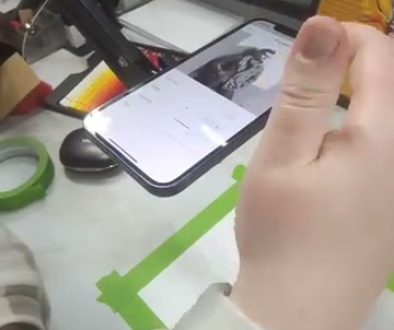
Take the blacklight t-shirt project from the video. The artist opens Da Vinci Eye, selects a gear design as the reference, and taps to position it on the painted surface. They work through their phone to trace the outline accurately onto the fabric. Without the app, they’d need to freehand the design or use transfer paper, both of which are harder on fabric that’s already been painted.
The process shows how these tools fit into real projects. You’re not just tracing, you’re building layers, making artistic decisions about color and detail, and adapting as you go. The tracing app handles the proportion and placement so you can focus on the actual painting technique.
Other artists use these apps for large-scale work. Painting a mural on a wall used to require careful grid work or an expensive projector. Now you can use your phone or tablet to guide the initial sketch, then develop it with your own style and technique.
The Practical Advantages Nobody Talks About
Beyond the obvious benefit of accurate proportions, tracing apps solve some frustrating practical problems. Ever tried to hold a reference photo while drawing? You’re constantly picking it up and putting it down, losing your place, trying to remember which part you were looking at.

With a tracing app, your reference is always visible exactly where you need it. You can zoom in on details without losing the overall composition. You can adjust the opacity so you’re guided without being restricted. You can rotate and resize on the fly.
The setup time is basically zero. No taping reference photos to your easel. No rigging up a projector and hoping the angle works. Open the app, position your reference, and start working. When you’re done, everything packs away as easily as putting your phone in your pocket.
This matters more than it sounds like it would. The easier it is to start, the more likely you are to actually work on projects. That spontaneity, that ability to just jump into creating, that’s valuable for developing your skills and staying motivated.
Learning Proportions While You Work
Here’s something interesting that happens when you use a tracing app regularly. You start to internalize the proportions and relationships you’re seeing. It’s like training wheels, the tool supports you while you’re building the skills.
You notice how eyes sit in relation to the nose. How foreshortening actually works. Where shadows naturally fall. These aren’t things you’re passively copying, you’re actively observing them as you draw, and that observation sticks with you.
Over time, you’ll find yourself needing the reference less for basic structure. You’ll use it more for fine-tuning and details. Your hand develops muscle memory. Your eye learns to judge distances and angles. The app becomes a reference tool rather than a crutch.
This is exactly how artists have always learned. You study from life or reference, you practice the same shapes and forms repeatedly, and gradually your skills improve. The tracing app just makes that process more accessible and less frustrating, especially in the early stages.
Tips for Getting the Most from Your Tracing App
Start with simpler projects to get comfortable with the tool. A straightforward design on paper is easier than complex painting on fabric. Learn how the app works before you tackle something ambitious.
Adjust your opacity settings. Most tracing apps, including Da Vinci Eye, let you control how strongly the reference shows through. Start more visible, then reduce it as you get your basic shapes down. This helps you stay guided without becoming dependent on seeing every detail overlaid.
Use the zoom feature strategically. Pull back for overall composition and proportion checks. Zoom in when you’re working on detailed areas. This mimics how you’d naturally work with any reference, but it’s easier because you’re not juggling physical materials.
Remember that the app shows you structure and proportion. The artistic choices are still yours. Line weight, color mixing, texture, style, those all come from you. Think of the tracing app as helping with the measuring and placement so you can focus your creative energy on everything else.
Position your phone or tablet comfortably. If you’re craning your neck or holding an awkward angle, you’ll get tired fast. Many artists use simple phone stands or props to position their device at a natural viewing angle. The easier it is to see through the overlay, the better your experience will be.
Start drawing with Da Vinci Eye