Camera Lucida: The Renaissance Tool Now in Your Smartphone
See Da Vinci Eye in action in the video below.
You’ve probably seen those old engravings of artists hunched over strange contraptions, one eye closed, carefully copying what they see through a prism or mirror. That’s a camera lucida, and it’s been helping artists nail proportions and perspective since the early 1800s. What you might not know is that the same principle is now sitting in your pocket, ready to use whenever inspiration strikes.
The camera lucida isn’t some dusty relic. It’s a drawing aid that worked then and still works now, just in a different form. Let’s trace the path from Renaissance optical devices to the augmented reality tools you can use today.
What Is a Camera Lucida and How Did It Work?
The camera lucida was patented in 1807 by William Hyde Wollaston, though artists had been experimenting with similar optical tricks for centuries. It’s essentially a prism mounted on an adjustable arm that you position over your drawing surface.

When you look down through the prism at just the right angle, you see two things at once. Your eye catches the reflection of your subject (a landscape, a portrait, whatever you’re drawing) and simultaneously sees your paper and pencil directly below. The optical illusion makes it look like the scene is projected right onto your paper.
This wasn’t photography, it was pure optics. You still had to draw every line yourself, but the camera lucida let you check your proportions constantly. If the curve of a cheekbone in the reflection didn’t match the curve you’d drawn, you knew immediately where to adjust.
Artists loved it because it didn’t replace skill. It just removed some of the guesswork from measuring and placement, letting them focus on the actual drawing.
The Optical Drawing Tools That Came Before
The camera lucida didn’t appear out of nowhere. Artists had been finding ways to see and transfer images accurately for hundreds of years before Wollaston’s patent.

The camera obscura is probably the most famous ancestor. It’s a darkened room or box with a tiny hole that projects an upside-down image of whatever’s outside onto the opposite wall. Artists could trace this projection or use it to study how light and shadow actually behave. Leonardo da Vinci described it in his notebooks, and painters from Vermeer to Canaletto likely used some version of it.
Then there were grid methods, where you’d draw a grid over your reference and a matching grid on your canvas. You’d copy each square one at a time, breaking down a complex scene into manageable chunks. Albrecht Dürer famously illustrated this technique in his woodcuts from the 1500s.
These weren’t shortcuts around learning to draw. They were tools that let artists study their subjects more carefully, understand proportions more accurately, and work more efficiently. The same reason you’d use them then is the same reason digital tools make sense now.
Why Artists Actually Used These Drawing Aids
Here’s the thing that gets lost in modern conversations about drawing tools. The old masters weren’t worried about whether using a camera lucida made them “real” artists or not. They had work to do.

Portrait artists needed accurate likenesses. Their clients expected to be recognizable, and a camera lucida helped ensure the proportions of a face were correct before investing hours in rendering. Landscape painters wanted to capture the exact relationship between buildings and horizon lines. Botanical illustrators needed precision that couldn’t be achieved by eyeballing alone.
Using optical aids also sped up the initial sketching phase. Instead of spending an hour measuring and remeasuring with a pencil held at arm’s length, you could establish your composition quickly and move on to the parts that really mattered. The rendering, the values, the brushwork, the artistic decisions that made the piece yours.
Training your eye was another benefit. When you can see your reference and your drawing simultaneously, you start to notice things. You see how you consistently make heads too large or how you compress vertical distances. Over time, these tools taught artists to see more accurately even when they weren’t using them.
From Glass Prisms to Phone Screens
The jump from a camera lucida to a smartphone app might seem huge, but the principle is identical. You’re overlaying a reference image onto your view of your drawing surface so you can see both at once.

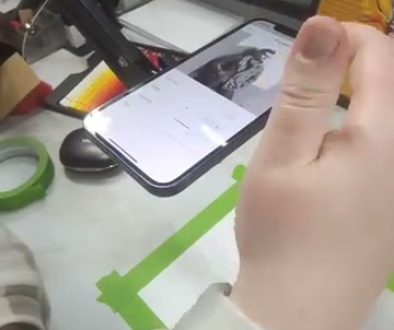
Da Vinci Eye’s Classic Mode does exactly what Wollaston’s device did, just without the finicky prism alignment. You suspend your phone above your paper using a stand, a glass, or really anything stable. The app uses your phone’s camera to show you your drawing surface and layers your reference image on top of it with adjustable transparency.
You can move the reference around with one finger, resize and rotate it with two. Need to zoom in to see a tricky detail? Pinch to zoom the camera view while the image stays locked in position. Want to check your work without the overlay? Drag the opacity slider until the reference fades out completely.
It’s the same workflow artists used 200 years ago, minus the neck strain from squinting through a prism. You’re still making every mark yourself. You’re still deciding values, textures, and style. You’re just checking your proportions against a reference that sits right where you can see it.
How Modern AR Tracing Fits Into Your Practice
The question isn’t really whether tools like this are valid. History settled that centuries ago. The question is how to use them in a way that actually develops your skills.
Start by using the overlay to understand proportions. Before you make a single mark, spend time just looking. Notice how far the eyes actually are from the bottom of the chin. See how the shoulders are wider than you’d think, or narrower. Let the reference teach your eye what reality looks like instead of what you assume it looks like.
Then use the overlay to establish your framework. Get the big shapes and key landmarks down. The tilt of the head, the horizon line, the basic gesture of a pose. Once your foundation is solid, reduce the opacity or turn it off entirely and start making the drawing your own.
This is where your style comes in. The overlay shows you structure, but it doesn’t tell you how to render an edge or what medium to use or whether to exaggerate certain features for effect. Those choices are entirely yours, and they’re what make your work interesting.
As you practice, you’ll find yourself needing the reference less. Your hand starts to remember the relationships between features. Your eye gets better at judging angles and distances. The tool becomes training wheels you eventually don’t need as often, though there’s no shame in using them whenever they’re helpful.
Common Mistakes When Using Drawing Overlays
The biggest mistake is treating the overlay like a coloring book. If you’re just mindlessly tracing every line without thinking about what you’re drawing, you’re not learning anything. You’re just moving a pencil around.
Instead, engage with what you’re seeing. Ask yourself why a line curves the way it does. Notice how the shadow edge relates to the light source. Think about the three-dimensional form you’re representing, not just the two-dimensional lines.
Another common issue is keeping the opacity too high for too long. If your reference image is completely opaque, you can’t see your own marks well enough to evaluate them. Start around 50% transparency and adjust from there. You want to see the reference clearly enough to guide you, but not so strongly that it overwhelms your actual drawing.
Don’t forget to check your work without the overlay. Every few minutes, turn the reference off or slide it out of the way. Your drawing needs to work on its own terms, not just when it’s perfectly aligned with a photo. If something looks wrong when the overlay is off, that’s what you need to fix.
Finally, remember that the overlay is showing you one specific view from one specific angle. If you’re drawing from life or working on something creative, you might want to deviate from that exact view. Use the reference as information, not as law. Your artistic judgment should always have the final say.
Start drawing with Da Vinci Eye