Da Vinci Eye: How AR Projection Transforms Your Drawing Process
See Da Vinci Eye in action in the video below.
If you’ve searched for an ar drawing app, you’re probably tired of guessing where lines should go and watching your proportions fall apart halfway through a sketch. You know the frustration of switching between your reference photo and your paper, trying to hold the image in your head while your hand never quite captures what you see.
Augmented reality changes that entirely. Instead of looking back and forth, you see your reference image projected directly onto your drawing surface through your phone’s camera. It’s not magic, it’s just smart use of technology that artists have been waiting for.
How AR Projection Actually Works for Drawing
When you open Da Vinci Eye, your phone’s camera shows you a live view of your drawing surface. You then load your reference image and the app overlays it right on top of what the camera sees. It’s like having tracing paper, except the image stays perfectly aligned even when you move your phone to check your progress.

The AR anchoring system locks your reference in place. Once you’ve positioned your image where you want it, the app remembers that exact spot. You can lift your phone, set it down at a different angle, or adjust your position, and the overlay snaps right back where it belongs.
This means you’re not fighting with slipping tracing paper or constantly repositioning a printout. You set it once and draw with confidence that your proportions will stay accurate from start to finish.
Setting Up Your First AR Drawing Session
Start by propping your phone up so it has a clear view of your entire drawing surface. A simple phone stand works great, or you can lean it against a stack of books. You want both hands free to draw, so don’t plan on holding your device the whole time.

Load your reference photo into Da Vinci Eye and scale it to match your paper size. You can make it larger or smaller with a simple pinch gesture, just like zooming a photo. Position it exactly where you want your drawing to sit on the page.
Tap to anchor the image in place. Now you’re ready to draw. Look at your screen and you’ll see your blank paper with the reference image overlaid on top. Your pencil movements show up in real time, so you can trace the basic shapes and proportions while watching both your reference and your actual marks.
Drawing Real Eyes: What the Process Looks Like
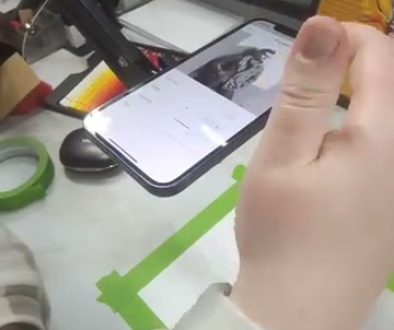
The screenshots from the video show exactly how this works in practice. An artist uses their phone mounted above their drawing surface, with a detailed eye reference projected onto their paper. They’re sketching an eye, following the proportions they see through the AR overlay.

You can see them working on capturing the shape of the iris, the curve of the eyelid, and the placement of highlights. These are the details that make or break a realistic eye drawing, and they’re so much easier to get right when you can see exactly where they belong.
The beauty of using an ar drawing app this way is that you’re not just copying. You’re training your eye to see the actual structure of what you’re drawing. The more you practice with accurate proportions, the better you get at judging them on your own.
Why AR Beats Traditional Reference Methods
Most artists start by propping their reference photo next to their paper. You look left, look down, try to remember what you saw, and translate it onto the page. It’s slow and it requires you to hold complex spatial information in your head while your hand tries to catch up.

Tracing paper works better, but it slips. Graphite transfer paper smudges. Projectors are expensive and only work in dark rooms. Light boxes are limited to small sizes and require you to work at awkward angles.
AR projection gives you the accuracy of tracing with none of the physical limitations. You can work on canvas, wood, fabric, or any surface. You can scale your image up for murals or down for miniatures. You can draw in normal lighting and see your actual materials and colors as you work.
Using AR to Build Drawing Confidence
When your proportions are right from the start, you can focus on the parts of drawing that actually make your work come alive. Shading, texture, line quality, and your personal style all matter more than whether you measured the nose placement correctly.
Beginners especially benefit from this approach. Instead of getting discouraged and giving up when a drawing looks wrong, you finish pieces. You see what a complete drawing looks like and you learn the full process from initial lines to final details.
As you practice, something shifts. You start to internalize the proportions you’ve been following. Your hand develops muscle memory for the curves and angles. Eventually, you’ll find yourself drawing more accurately even without the AR overlay, because you’ve trained your eye through repetition.
Common Mistakes When Starting With AR Drawing
Don’t position your phone too close to your paper. If you’re zoomed in tight, you lose context for where each element sits in relation to the whole image. Pull back far enough to see your entire composition at once.
Avoid rushing through the anchor step. Take an extra moment to make sure your reference is positioned exactly where you want it and scaled to the right size. Fixing it later means redoing work you’ve already completed.
Remember that the AR overlay is a guide, not a strict rulebook. If you see something in your reference that doesn’t feel right for your drawing, change it. The tool supports your artistic choices, it doesn’t replace them.
Don’t forget to lift your eyes from the screen occasionally and look at your actual paper. The camera view is helpful, but checking your physical drawing helps you see how your materials are actually responding and whether your values and tones are working in reality.
Beyond Portraits: What Else AR Drawing Handles
Eyes make great practice subjects, but an ar drawing app works for any subject you want to tackle. Animals, architecture, botanical illustrations, character designs, and complex still life compositions all become more approachable when you can see accurate proportions from the start.
Large scale work is where AR really shines. Try scaling up a detailed illustration to cover a full canvas or even a wall. Traditional methods require grids, measurements, and a lot of math. With AR projection, you just scale the overlay to your surface size and start drawing.
You can even use this approach for unconventional surfaces. Artists have used Da Vinci Eye to decorate cookies, paint designs on clothing, create murals on furniture, and illustrate directly onto wood or metal. If your phone camera can see it, you can project a reference onto it.
The Creative Freedom of Accurate Proportions
Artists have used tools to achieve accurate proportions for centuries. Camera obscura, camera lucida, grid methods, and tracing have all been part of the artistic process long before digital tools existed. These weren’t shortcuts, they were practical solutions that let artists focus on artistry instead of mathematical measurement.
Modern AR technology simply makes those historical techniques more accessible. You don’t need a dark room, expensive equipment, or complicated setup. You need your phone and a drawing surface, and you’re ready to create.
The goal isn’t to replace your skill or creativity. It’s to remove the technical barriers that stop you from expressing what you want to express. When you’re not wrestling with proportions, you have more mental energy for the artistic decisions that make your work uniquely yours.
Start drawing with Da Vinci Eye