Da Vinci’s Drawing Techniques: What Modern Apps Learned
See Da Vinci Eye in action in the video below.
Leonardo da Vinci wasn’t just a great artist. He was obsessed with how we actually see the world, and that obsession changed drawing forever. Back in the 1400s and 1500s, he filled notebooks with studies on optics, perspective, and ways to transfer what the eye sees onto paper.
Fast forward to 2026, and artists are using apps that would have blown Leonardo’s mind. But here’s the thing: the principles behind modern AR drawing apps aren’t new at all. They’re built on the same optical ideas da Vinci explored five centuries ago.
The Optical Tricks Leonardo Actually Used
Leonardo didn’t just paint what he thought things should look like. He studied how light enters the eye, how distance affects size, and how to project three-dimensional scenes onto a flat surface. He even experimented with camera obscura, a darkened room where light projects an upside-down image through a small hole.

That might sound like ancient history, but it’s the exact same principle your phone camera uses today. Leonardo understood that if you could see your subject and your drawing surface at the same time, you could transfer proportions directly without guessing.
He also used grids constantly. By dividing both his reference and his canvas into matching squares, he could transfer complex compositions section by section. It wasn’t about lacking skill. It was about working smarter so he could focus on the parts that mattered most, like expression and light.
How AR Apps Bring Da Vinci’s Methods Into Your Pocket
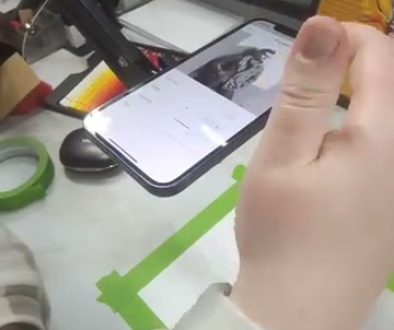
When you use Da Vinci Eye, you’re basically carrying around a camera obscura that fits in your hand. The app uses your phone’s camera to overlay a reference image directly onto your drawing surface through your screen. You see both at once, just like Leonardo wanted to.

Instead of building a dark room or setting up complicated mirrors, you just position your phone and start drawing. The technology is different, but the goal is identical: see your subject and your work simultaneously so you can judge proportions in real time.
Leonardo would have absolutely used this if he could. He spent years trying to perfect these kinds of optical aids. Now artists have access to the same principles without needing to be a Renaissance genius or engineer.
Why Proportions Were Leonardo’s Obsession
If you’ve ever tried to draw a portrait and ended up with eyes at different heights or a nose that’s weirdly huge, you know how hard proportions are. Leonardo knew this too, and he treated getting proportions right as the foundation of everything else.

He created detailed measurements of the human body, noting how many “head heights” tall a standing figure should be, where the eyes sit on the face, how arms relate to torso length. But he also knew that measuring everything manually takes forever and pulls your focus away from actually drawing.
That’s why he used projection and grid methods. They let him lock in accurate proportions quickly so he could spend his time on what he really cared about: capturing life, movement, and emotion. Modern apps like Da Vinci Eye do the same thing by letting you see the correct proportions overlaid on your paper.
You’re not eliminating the need to understand proportions. You’re training your eye to recognize them faster by seeing correct relationships over and over as you work.
Learning to See Light and Shadow Like Leonardo Did
Leonardo’s drawings weren’t just accurate. They had incredible depth because he understood how light wraps around forms. He studied how shadows transition gradually, how reflected light bounces into dark areas, and how edges can be soft or sharp depending on the light source.

When you use a projection method to get your initial shapes down, you free up mental energy to focus on these subtleties. You can study how the light actually falls in your reference instead of stressing about whether the eye is half an inch too far left.
I’ve found that using Da Vinci Eye for the initial sketch lets me move faster to the shading stage, where the real learning happens. You start noticing things like how the shadow under a nose isn’t just dark, it’s got different values and temperatures within it.
Leonardo filled entire notebooks with sphere studies showing light gradation. You can do similar studies much faster when you’re not simultaneously fighting basic proportion issues.
The Grid System Then and Now
Leonardo’s grid method involved drawing a literal grid on both his reference and his canvas. If a line crossed through a square at a certain point in the reference, he’d replicate that exact crossing point in the matching square on his canvas.
It worked brilliantly, but it was tedious. You had to carefully divide everything into even squares, and if you wanted to change your composition size, you had to redo all the math.
Da Vinci Eye essentially does this for you digitally. You can scale your reference up or down instantly, flip it, rotate it, or adjust the opacity by dragging the opacity slider. The proportional relationships stay correct no matter what size you’re working at.
This flexibility means you can experiment with composition in ways Leonardo couldn’t. Want to see if your portrait would work better larger? Just tap and drag to adjust the scale. Want to shift the position on your page? Move it around until it feels right.
Common Mistakes When Using Projection Methods
The biggest mistake I see is people thinking the tool does the drawing for them. It doesn’t. You still have to look, interpret, and make marks. The overlay shows you where things go, but your hand has to actually draw them.
Another issue is relying on projection so much that you never practice freehand observation. Leonardo used tools, but he also did countless studies from life without aids. Mix it up. Use the app for complex compositions or when you’re learning something new, but also do sketches without any assistance.
Some artists also draw so rigidly to the overlay that their drawings look stiff. Remember that Leonardo used these methods to capture proportions and basic structure, then he’d bring the drawing to life with his own interpretation. The reference is a guide, not a prison.
Finally, don’t skip the fundamentals. Understanding why proportions work the way they do makes you better even when using tools. Leonardo studied anatomy obsessively. His tools helped him work faster, but his knowledge made him great.
Building Your Eye for Proportions Over Time
Here’s what I’ve noticed after using projection methods regularly: you start internalizing the proportions. After drawing enough faces with proper eye placement, you begin to see when something’s off even without the overlay.
It’s like Leonardo’s apprentices who used his grid methods. Eventually, they developed such strong visual judgment that they needed the grids less and less. The tool teaches your eye what correct relationships look like.
I’d suggest keeping some of your early drawings and comparing them to work you do after a few months of regular practice. You’ll probably notice that even your freehand sketches have better proportions because you’ve trained yourself to see more accurately.
Leonardo believed that artists should study everything: math, anatomy, optics, nature. But he also believed in using every tool available to improve. Five hundred years later, we’ve got better tools, but the wisdom behind using them is exactly the same.
Start drawing with Da Vinci Eye