What Artists Need to Know About Digital Tracer Technology
See Da Vinci Eye in action in the video below.
If you’ve been looking into drawing tools, you’ve probably heard the term “tracer” thrown around. Maybe you’re wondering what the difference is between a digital tracer and the lightbox you’ve seen at the art store, or how projectors fit into the picture. The technology has changed a lot in recent years, and knowing what each method does can help you choose the right tool for your skill level and project.
Let’s break down how these different types of tracers work and when you’d actually want to use each one.
How Traditional Physical Tracers Work
The classic lightbox tracer is simple. It’s a flat surface with a light underneath that shines through your reference image and blank paper at the same time. You tape both sheets down, turn on the light, and trace what you see.
Lightboxes work great for transferring line work and creating clean copies of sketches. They’re reliable, don’t need batteries or charging, and you can use any paper thin enough for the light to shine through.
The downsides are pretty obvious once you’ve used one. You’re limited to paper sizes that fit on the box. You can’t scale your reference image up or down without making a photocopy first. And if you want to trace something from your phone or computer, you’ll need to print it out.
Projectors take a different approach. They shine your reference image onto your drawing surface from across the room. Artists have used overhead projectors, opaque projectors, and more recently, digital projectors connected to computers or tablets.
The benefit is size flexibility. You can project an image as small or large as your wall space allows, which makes projectors popular for mural work and large canvas paintings. But they need a dark room to work well, they’re not exactly portable, and getting the angle right so your image doesn’t distort can be frustrating.
How Digital Tracer Technology Changed the Game
Digital tracers using augmented reality work completely differently. Instead of physically projecting light or requiring see-through materials, AR tracers use your phone’s camera and screen to overlay a reference image onto your real-world view.
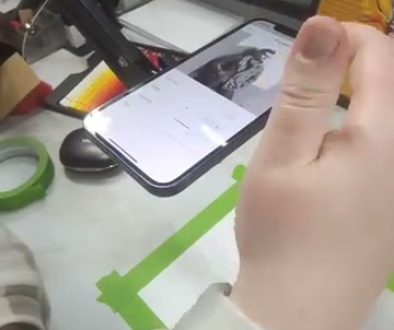
Da Vinci Eye is one of these AR-based tracers. When you open the app, you position your phone so the camera can see your drawing surface. The app then displays your reference image overlaid on the live camera feed, so when you look at your screen, you see both your reference and your paper at the same time.
What makes this different from older methods is the flexibility. You can resize and reposition your reference image by dragging your fingers across the screen. You can rotate it, flip it, adjust the opacity so you can see your pencil marks underneath. And you can tap to zoom into specific areas when you need to focus on details.
The setup is simpler too. You don’t need to be in a dark room. You don’t need special paper. You don’t need to make prints or worry about paper sizes. Your phone and a stand or holder are all the equipment you need.
When a Lightbox Makes More Sense
Even with digital options available, lightboxes still have their place. If you’re working on comic pages or illustration work where you’ve already drawn your sketch on paper and just need to transfer it to final paper, a lightbox is fast and straightforward.
Lightboxes are also great for pattern transfer in crafts. If you’re tracing embroidery patterns, quilting templates, or repetitive design elements, the physical setup can be faster than repositioning a digital reference multiple times.
Many traditional artists just prefer the tactile experience. There’s no screen between you and your reference, no battery to worry about, and no learning curve. If your workflow already includes physical references and you’re comfortable with that system, there’s no reason to change.
The main limitation is scale and flexibility. If you’re drawing from photos on your phone, working at different sizes regularly, or practicing with various reference images throughout a session, the physical constraints of a lightbox start to feel limiting.
When a Digital Tracer Is the Better Choice
Digital tracers shine when you’re learning proportions and training your eye. Because you can adjust the size and position of your reference so easily, you can practice the same subject at different scales or try different compositions without printing multiple versions.
If you draw from photo references stored digitally, a digital tracer saves you the step of printing. You can pull up any image from your camera roll, adjust it to fit your paper, and start drawing. That convenience adds up when you’re practicing regularly.
The zoom feature changes how you approach details. You can overlay your reference at the overall size you want, then tap to zoom in and work on a specific area like an eye or a hand. With a lightbox, you’d need to either print your reference larger or squint at small details.
Digital tracers also let you work at any scale. Want to draw something postcard-sized in your sketchbook? Easy. Want to work on a large poster board? Just drag to adjust the overlay size. The same reference works for both without any extra equipment.
For artists who move between locations, digital tracers are more portable. Your phone goes with you anyway, and a simple phone stand weighs less than a lightbox. You can practice at a coffee shop, at a park, or anywhere you’d normally sketch.
Projectors Still Win for Large Scale Work
If you’re painting murals or working on canvases larger than three or four feet, projectors still have advantages. Your phone screen is only so big, and holding it to see a wall-sized reference gets awkward.
Da Vinci Eye’s separate Mural Maker app bridges this gap by using two devices. One phone acts as the camera and controller, while a second device (phone or tablet) serves as your viewing screen. You can position the viewing device right where you’re working without holding it.
Traditional projectors let you step back and see the whole composition at once, which helps with large-scale planning. But they still need that dark room and careful setup to avoid distortion.
For most drawing practice and medium-sized artwork, digital tracers give you enough workspace without the hassle. It’s really when you get into wall-sized projects that projector setups start to make practical sense again.
Common Mistakes When Choosing a Tracer Method
The biggest mistake is thinking one method works for everything. Artists who buy a lightbox expecting to use it for all their reference work get frustrated when they want to work larger or use digital references. Similarly, jumping straight to a projector setup for regular practice is overkill.
Another common issue is not considering your actual workspace. If you draw in a bright room with windows everywhere, a projector won’t work well no matter how good the model is. If you mostly work in a small sketchbook while traveling, a lightbox isn’t practical to carry around.
Many artists also overlook the learning aspect. A tracer is most useful when you’re actively learning from it, studying the shapes and proportions as you work. If you’re just mechanically copying lines without paying attention to why they’re placed where they are, you’re not getting the real benefit no matter which method you use.
Think about how you’ll actually use the tool. If you practice daily with varied references, flexibility matters. If you’re working on one specific project with a printed reference, simple and reliable might be better than feature-rich.
Matching the Tool to Your Current Skill Level
Beginners often benefit most from digital tracers because the adjustability lets you experiment. You can trace the same reference at different sizes to see how scale affects your work. You can overlay it at low opacity to check your freehand attempts. That flexibility supports active learning.
As you develop your skills, you might find yourself using any tracer less for full drawings and more for checking specific elements. You’ll sketch freehand, then quickly overlay your reference to verify a proportion or angle. Digital tracers make these quick checks easier than setting up a lightbox or projector.
Advanced artists tend to use tracers more selectively, often for specific project needs rather than regular practice. A lightbox for final ink work, a projector for a commissioned mural, or a digital tracer for trying out a new subject before committing. The tool becomes situational rather than standard.
The key is being honest about where you are now and what you’re trying to improve. A tracer that helps you study and learn is different from one that just speeds up production. Both are valid, but they’re not the same goal.
Start drawing with Da Vinci Eye