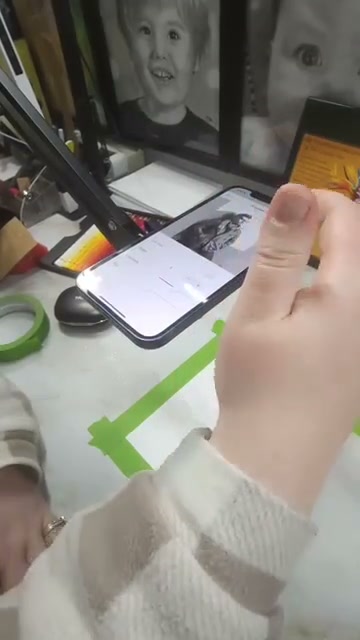
See Da Vinci Eye in action in the video below.
You’ve probably heard of the camera lucida, but you might not realize you’re already carrying its modern descendant in your pocket. This 200-year-old optical drawing device revolutionized how artists worked with reference material, and today’s AR apps like Da Vinci Eye follow directly in its footsteps. The lucida wasn’t just a tool, it was a way of seeing that changed drawing forever.
The story of how we got from a brass prism on a stick to an app that overlays reference images onto your canvas is actually pretty fascinating. And it tells us something important about how artists have always used technology to improve their craft.
What the Original Camera Lucida Actually Did
Back in 1807, scientist William Hyde Wollaston invented the camera lucida to solve a problem artists had been struggling with for centuries. How do you accurately transfer what you see onto paper?
The device itself was surprisingly simple. It used a prism mounted on an adjustable arm to superimpose the view of your subject over your drawing surface. When you looked through it, you’d see both your subject and your paper at the same time, as if one were projected onto the other.
This wasn’t photography and it wasn’t magic. It was pure optics. The lucida let you trace the outlines and proportions of what you were seeing, but you still had to do all the actual drawing yourself.
Artists loved it because it solved the hardest part of representational drawing: getting the proportions right. Once you had accurate proportions, you could focus on values, edges, color, and all the things that actually make a drawing come alive.
Why Artists Actually Used Drawing Devices
Here’s something that might surprise you: most of the Old Masters used optical aids. Research has shown that artists from Vermeer to Canaletto likely used camera obscuras, mirrors, and later the camera lucida.
They weren’t trying to hide anything. These tools were considered standard equipment, like brushes or easels. The goal was never to copy mindlessly, it was to work more efficiently and accurately.
Think about it this way. If you’re commissioned to paint an architectural scene and the building needs to look right, you’re not going to spend days measuring angles by hand if there’s a tool that can help. You’re going to use that tool so you can spend your time on what really matters: light, atmosphere, composition, and storytelling.
The camera lucida became especially popular for portrait work, botanical illustration, and architectural drawing. Anywhere accuracy mattered, artists reached for their lucida.
The Limitations That Held Back the Original Lucida
As useful as the camera lucida was, it had some serious drawbacks. First, the viewing angle was fixed and often awkward. You had to position yourself just right, and if you moved even slightly, the alignment would shift.
Second, the prism created a relatively dim image. You needed good lighting on both your subject and your paper, which wasn’t always possible. Indoor work could be especially challenging.
The device also required a completely steady setup. Any wobble in the arm or movement of your paper would throw everything off. This made it nearly impossible to work outdoors in windy conditions or anywhere unstable.
And perhaps most frustrating, you could only draw what was directly in front of you. You couldn’t work from photographs, you couldn’t scale images up or down easily, and you couldn’t adjust the composition without physically moving your subject or your easel.
How Modern Apps Solved Every Problem the Lucida Had
This is where things get interesting. Apps like Da Vinci Eye use augmented reality to recreate the camera lucida experience, but they solve every single limitation the original device had.
Instead of a dim prism reflection, you get a bright, adjustable overlay on your phone or tablet screen. You can control the opacity by dragging the opacity slider, so you can see your reference clearly without losing sight of your actual drawing underneath.
You’re not limited to drawing what’s in front of you anymore. You can use any photo from your library, which means you can draw from references taken anywhere, at any time. That sunset from your vacation last year? Now it’s a viable drawing subject.
The scaling issue is completely solved. You can resize your reference image to match any canvas size, from a small sketchbook to a large poster board. You can even tap to zoom in for working on details, then zoom back out to check your overall proportions.
And here’s the part that would have blown Wollaston’s mind: you can move around. The app tracks your position and adjusts the overlay automatically. You can shift your angle, lean in for details, or step back to check your work, and the reference stays aligned.
What This Technology Means for Learning to Draw
The real power of the modern camera lucida isn’t just convenience. It’s that it lets you study drawing in ways that weren’t possible before.
When you’re tracing over a reference in Da Vinci Eye, you’re training your eye to see proportions correctly. You start to notice how far apart facial features really are, how objects get smaller with perspective, how shadows define form. This isn’t mindless copying, it’s active learning.
You can also use these tools to analyze composition before you commit to a drawing. Try different crops, test various sizes, see how the subject looks at different positions on your canvas. The original lucida locked you into whatever your setup was, but digital tools let you experiment.
The strobe feature that Da Vinci Eye offers takes this even further. By flashing the reference on and off, you can compare your values to the original in real time. You’re not just tracing shapes, you’re learning to see and match tone.
This kind of immediate feedback is something artists a century ago would have given anything for. And it works because you’re still doing the drawing yourself, you’re just getting better guidance along the way.
Common Questions About Using Digital Drawing Aids
A lot of people wonder if using these tools will make them dependent on them. The answer is actually the opposite. When you trace with understanding, studying what makes proportions work as you go, you’re building skills that transfer to freehand drawing.
Think of it like learning music. You might start by following sheet music exactly, but as you practice, you internalize the patterns and rhythms. Eventually, you can improvise. Drawing tools work the same way.
Another common concern is whether these tools are legitimate. But remember, optical drawing aids have been part of art for hundreds of years. The camera lucida was sold in art supply stores right next to pencils and paper.
What matters isn’t whether you use tools. What matters is what you create with them and what you learn along the way. The artists using camera lucidas in the 1800s still had to make countless decisions about line quality, shading, composition, and style. The same is true today.
The best approach is to use these tools as part of your practice, not as a replacement for learning. Use them when they help, draw freehand when you want to challenge yourself, and always focus on understanding what you’re doing rather than just copying lines.
Start drawing with Da Vinci Eye